
Predictive Search

Search Paddles
Search Results
Thank you! Your submission has been received!
Oops! Something went wrong while submitting the form.
Choose Options
Product Title
15.99$19.99$

No results for your query

All results

Searching for something in particular? Browse our best sellers!

Thank you! Your submission has been received!
Oops! Something went wrong while submitting the form.
Choose Options
Product Title
15.99$19.99$

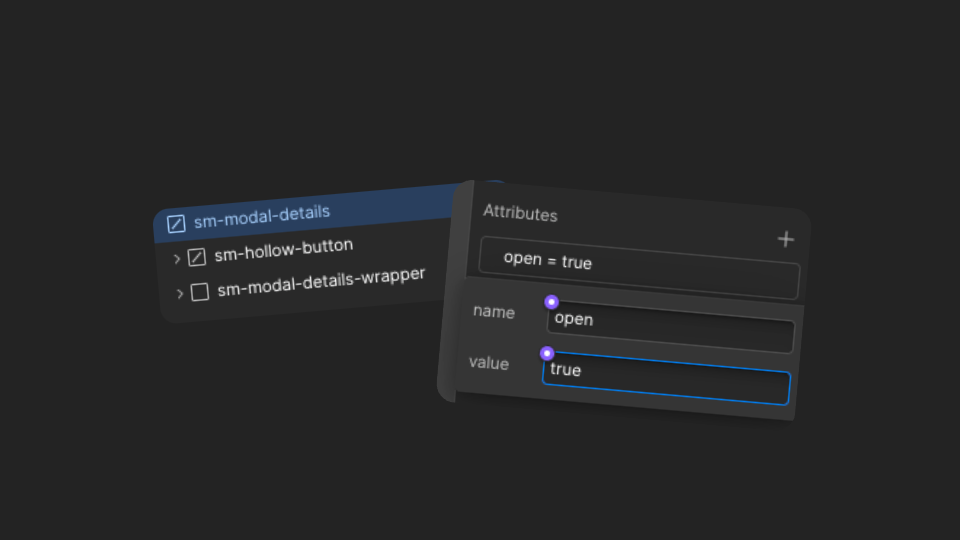
How to edit the Search Result Modal

To edit the search result modal, simply select the custom element sm-modal-details in the navigator and add the following custom attribute in the Settings panel:

- Name: open  
- Value: true

To close the modal, just remove this attribute.
Mini Cart Modal

Your Cart
Hurry up! Your cart will be reserved only for other
30
minutes
1
Only 3 products away from free shipping!
Congratulations! You've got free shipping!
Text Link
Name
:
value
Box Item Title
1
x
4.5€
1
x
4.5€
4.5€
Your cart is empty. Let's change that!
Shop our products
Oops! Something went wrong while submitting the form.

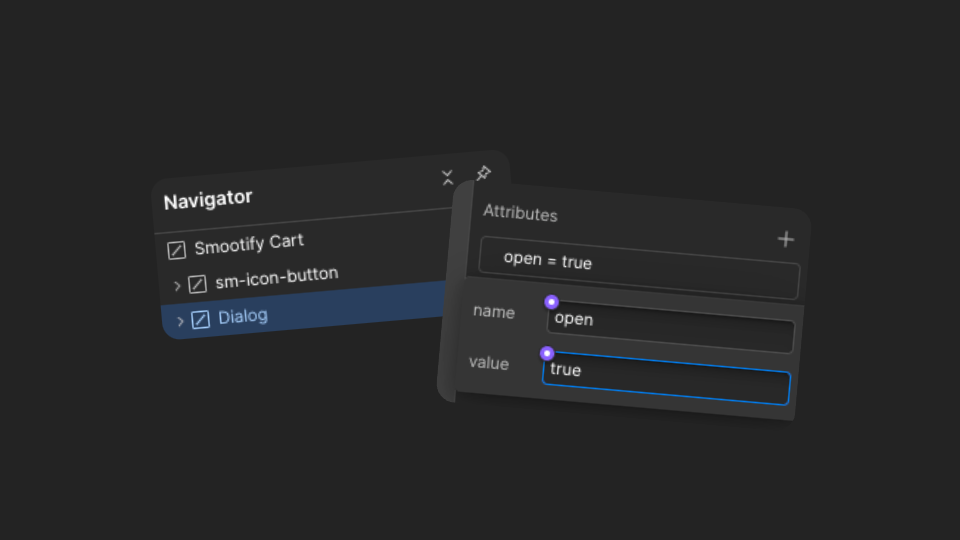
How to edit the Mini Cart Modal

To edit the Mini Cart modal, simply select the custom element Dialog in the navigator and add the following custom attribute in the Settings panel:

- Name: open  
- Value: true

To close the modal, just remove this attribute.
Mini Cart Details

0
Your Cart
Hurry up! Your cart will be reserved only for other
30
minutes
1
Only 3 products away from free shipping!
Congratulations! You've got free shipping!
Product
Name
:
value
Box Item Title
1
x
4.5€
1
x
4.5€
4.5€
Your cart is empty. Let's change that!
Shop our products
Oops! Something went wrong while submitting the form.

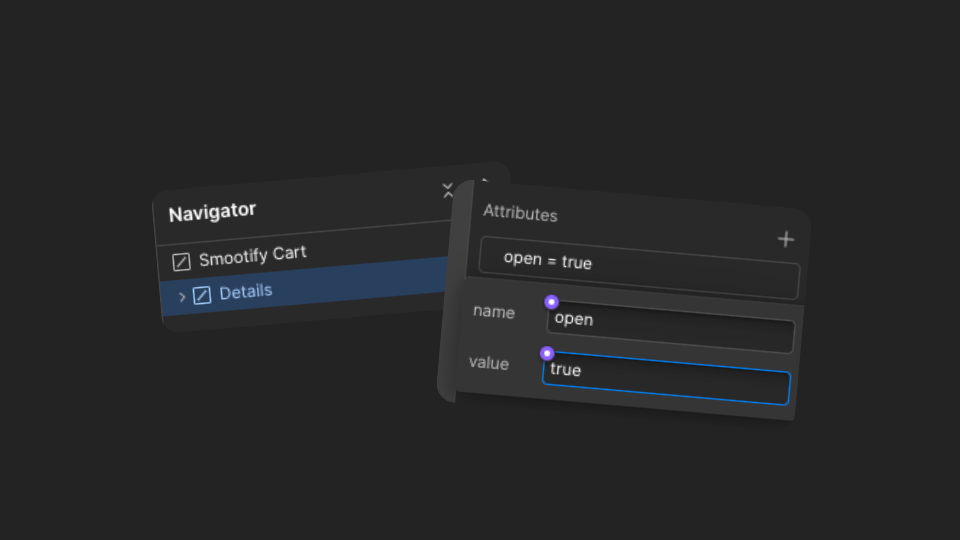
How to edit the Mini Cart Details Modal

To edit the Mini Cart modal, simply select the custom element Details in the navigator and add the following custom attribute in the Settings panel:

- Name: open  
- Value: true

To close the modal, just remove this attribute.
Create Address Modal

Create Address
Create a new Address

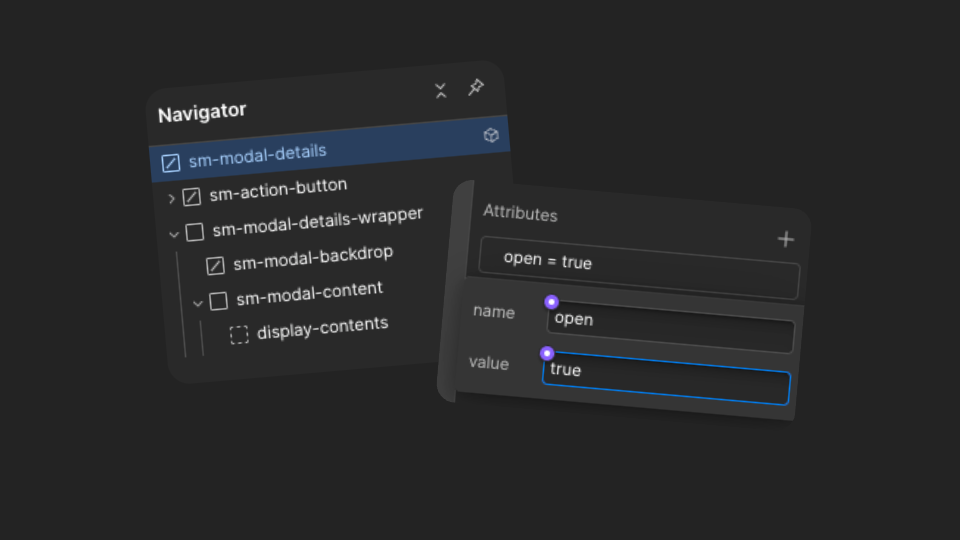
How to edit the Create Address Modal

To edit the Create Address modal, simply select the custom element sm-modal-details in the navigator and add the following custom attribute in the Settings panel:

- Name: open  
- Value: true

To close the modal, just remove this attribute.
Search & Discovery

Filter
Filter By
Total Products: 15
Thank you! Your submission has been received!
Oops! Something went wrong while submitting the form.
Filter by Price
From
To
Thank you! Your submission has been received!
Oops! Something went wrong while submitting the form.
Product Type
Select a Product type
Thank you! Your submission has been received!
Oops! Something went wrong while submitting the form.
Vendor
Thank you! Your submission has been received!
Oops! Something went wrong while submitting the form.
Category
Thank you! Your submission has been received!
Oops! Something went wrong while submitting the form.
Fragrance
Thank you! Your submission has been received!
Oops! Something went wrong while submitting the form.
Size
Thank you! Your submission has been received!
Oops! Something went wrong while submitting the form.
Collections
Thank you! Your submission has been received!
Oops! Something went wrong while submitting the form.
Sort by
Thank you! Your submission has been received!
Oops! Something went wrong while submitting the form.
Thank you! Your submission has been received!
Oops! Something went wrong while submitting the form.
Choose Options
Product Title
15.99$19.99$
No products

How to edit the Filters Modal

To edit the Filters modal, simply select the custom element sm-modal-details in the navigator and add the following custom attribute in the Settings panel:

- Name: open  
- Value: true

To close the modal, just remove this attribute.